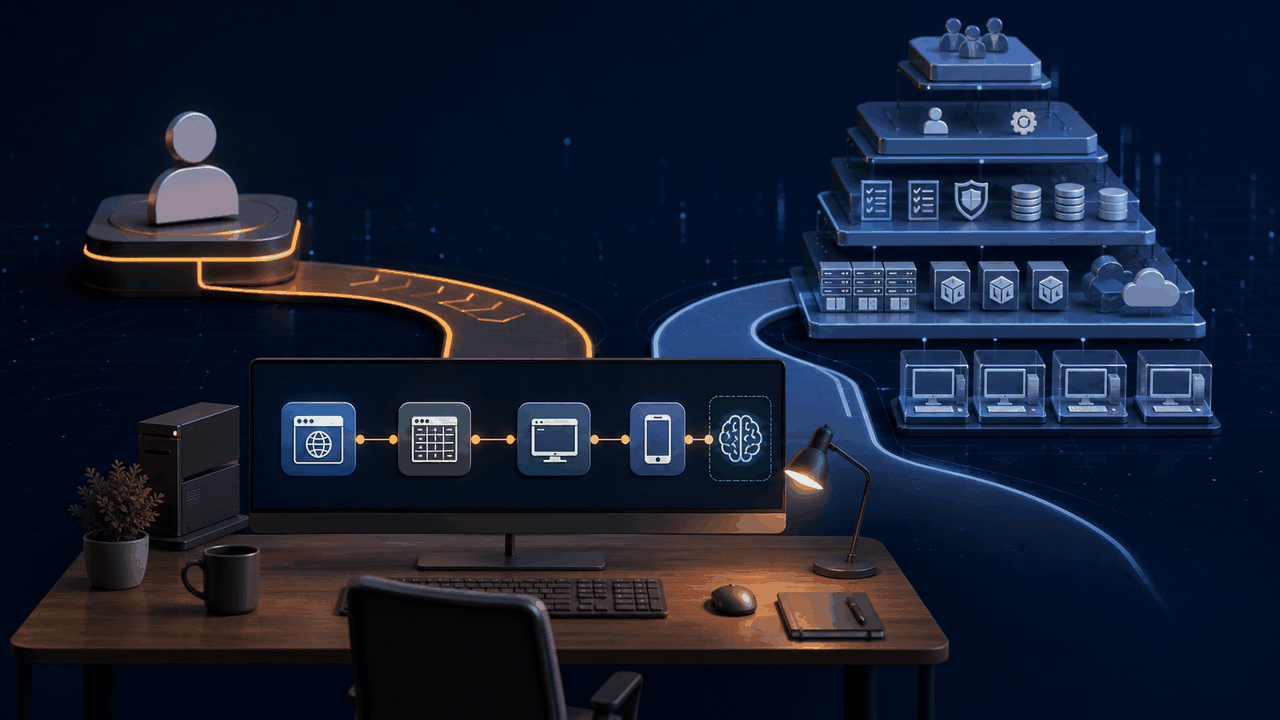
Microsoft Power Automate is a broad platform with cloud flows, connectors, desktop automation, process mining, AI features, governance, and hosted infrastructure. For organizations already invested in Microsoft 365, Entra ID, Dataverse, and Power Platform administration, that breadth may be an advantage. It does not follow that every individual automation user needs the same operating model.
An independent professional, analyst, online seller, researcher, or small business owner may prioritize different things: signing in with a personal email, using a personally selected model, keeping routine execution local, controlling several isolated browsers, and editing an AI-generated workflow without provisioning an organizational environment. The useful question is not whether one product is universally better. It is which architecture fits the actual user, task, and deployment constraints.
This guide uses current Microsoft documentation for Power Automate requirements and licensing, then provides a proof-of-concept checklist for evaluating alternatives such as Runavelo. Product plans change, so verify official pricing and entitlement details at the time of purchase.
Key takeaways
- Separate local attended automation from cloud-triggered, unattended, hosted, and organizational scenarios.
- Verify the account type, tenant, environment, and licensing required for the exact features you intend to use.
- Evaluate what AI produces: editable commands, code, or a fresh agent decision on every run.
- Test whether routine execution needs model calls, cloud orchestration, or an active internet connection.
- Include model choice, isolated browser concurrency, debugging context, and cross-device coverage in the comparison.
- Run the same representative workflow in each product rather than comparing feature-list wording.
Understand the Power Automate operating model
Power Automate combines several related products and licensing concepts. Desktop flow authoring, local attended runtime, cloud-triggered runtime, unattended execution, hosted machines, premium connectors, and AI capabilities do not all have identical prerequisites.
Microsoft's current Power Automate desktop prerequisites and limitations state that Windows Home can author desktop flows and run them locally in attended mode, but cannot trigger desktop flows from the cloud. The same page says an active internet connection and an account to sign in are required. It also distinguishes features by account type and notes that a Dataverse database is applicable to work or school accounts.
Microsoft's types of Power Automate licenses describes Free, Premium, Process, and other entitlements. The Free plan covers basic capabilities for work or school accounts in a Microsoft Entra tenant, with local attended desktop flows and standard connectors. Premium adds broader cloud and desktop capabilities. Process capacity is relevant to unattended automation and flows licensed independently of individual users.
For unattended desktop flows, Microsoft's unattended execution documentation explains that a Process plan is required, that Power Automate creates an RDP session, and that Windows 10 or 11 devices cannot run unattended desktop flows while any active Windows user session is present. These are rational design choices for Microsoft's managed model, but they may or may not match how an individual wants to use a personal computer.
The point is not to reduce Power Automate to one limitation. It is to identify the exact scenario before comparing. A locally initiated attended flow is different from a cloud-triggered unattended bot, and a personal workflow is different from a governed organizational deployment.
When an individual-focused alternative may fit better
Consider an alternative when the primary requirement is a locally installed automation environment controlled by one user rather than a Power Platform environment administered for an organization.
Typical priorities include:
- personal email sign-in instead of dependence on a work or school tenant;
- AI-assisted building with the user's OpenAI, Anthropic, Gemini, DeepSeek, Kimi, Qwen, or compatible endpoint;
- editable visual commands rather than code-only generation;
- deterministic reruns without another model call for every routine action;
- browser actions that do not move the physical mouse;
- multiple isolated browsers on one computer;
- one flow model spanning desktop, browser, spreadsheet, file, API, Python, and mobile actions;
- AI diagnosis that can inspect the saved workflow, parameters, logs, and error stack;
- simple local installation without Power Platform environment design.
These priorities do not eliminate the need for security, licensing, or infrastructure. They move those decisions closer to the individual user's device and selected services.
Compare the generated artifact
Modern automation products increasingly offer natural-language creation. The important difference is what remains after the prompt.
Ask each product to build the same task, then inspect the result. Can you see every command and parameter? Are variables typed and named? Are loops and conditions real editable structures? Can you change the browser type, selector, page limit, and Excel destination manually? Can the assistant read those edits later?
An AI-generated script can be powerful for a developer, but it transfers maintenance to code. An agent that interprets the goal on every run can handle ambiguity, but may introduce recurring model cost and nondeterminism. An editable visual workflow aims for a middle path: AI accelerates creation, while the saved artifact remains explicit and repeatable.
For the full evaluation framework, see AI Visual Workflow Builder: A Practical Buyer's Guide.
Compare AI execution economics
Ask whether AI is used during authoring, at selected decision steps, during error diagnosis, or throughout every execution. These are different cost models.
For a workflow that runs 1,000 times, a one-time model call to create the flow has a different cost and latency profile from 1,000 model-driven sessions. Routine steps such as reading a workbook cell, clicking a known element, or saving a file generally do not need generative interpretation after they have been tested.
The alternative should expose model invocation rather than hide it. Users should know which steps call AI, what context is sent, and what provider pays for the request. They should be able to run deterministic operations without AI and use AI only where its reasoning adds value.
Runavelo follows this separation: AI can build, update, explain, and troubleshoot the visual flow; the approved commands then execute repeatedly without consuming tokens merely because the workflow runs again. Read Build Once, Run Repeatedly for the design in detail.
Compare model freedom
An individual may already have a preferred provider or need a model available in a particular region. Evaluate whether the product allows:
- multiple provider protocols rather than only one compatibility mode;
- a custom base URL and model name;
- provider presets that remain editable;
- reasoning-effort and output-token controls where supported;
- correct tool-call and reasoning continuity for the selected API;
- multiple named configurations;
- encrypted local API-key storage.
Model flexibility is not only about brand choice. It reduces dependency on one release schedule and lets the user trade cost, latency, context size, tool behavior, and privacy terms. It also creates engineering responsibility: the client must adapt to protocol differences instead of assuming that every OpenAI-compatible endpoint accepts every parameter.
See Bring Your Own Model for AI Automation for the technical criteria.
Compare browser automation
Browser tasks are common in personal automation: research, data collection, form entry, inventory checks, order updates, and report downloads. Compare the interaction model, not just whether "browser automation" appears on a feature list.
Test whether actions use DOM or CDP element information, whether selectors remain editable, and whether the workflow waits for visibility and page transitions. Determine whether actions move the physical mouse and keyboard or target a specific browser tab. The Chrome DevTools Protocol defines structured browser instrumentation, while its Input domain covers mouse, keyboard, text, and drag events.
If you need concurrency, ask whether each browser has an isolated profile with separate cookies and storage. Opening many tabs in one profile is not equivalent. Verify that a failure in one session does not stop unrelated sessions and that logs identify the correct browser and work item.
Runavelo supports independently controlled browser instances designed for silent parallel work on one computer. The architecture and constraints are covered in Parallel Browser Automation.
Compare desktop, spreadsheet, and mobile coverage
Map the entire process. A browser-only product may collect records but not update a legacy desktop application. A desktop recorder may struggle to express data transformations and spreadsheet structure. A cloud connector platform may integrate APIs well but require a different mechanism for local applications.
Create a capability matrix using real commands:
| Requirement | Evidence to test |
|---|---|
| Browser | Open or attach, locate elements, click, input, hover, drag, paginate, download |
| Desktop | Start applications, find windows and controls, handle dialogs, manage files |
| Spreadsheet | Read and write ranges, loop through rows, preserve types, save reliably |
| Logic | Conditions, count/list loops, subworkflows, exceptions, variables |
| API and code | Authenticated requests, JSON parsing, explicit Python steps |
| Mobile | Device connection and commands within the same flow model |
The key is data continuity. A browser element's text should flow into a typed variable and then into a spreadsheet or desktop field without manual clipboard staging.
Compare debugging and maintenance
A product that creates automation quickly but cannot diagnose failures shifts cost into maintenance. Trigger realistic failures during the trial: change an element label, expire a login, lock a workbook, or remove an expected file.
Then ask:
- Does the log identify the workflow, line, command, and reason?
- Can AI inspect the current workflow and actual parameters?
- Does it read the relevant runtime log and stack information?
- Does it distinguish a transient timeout from a changed selector?
- Can it repair only the affected element or command?
- Is the proposed change visible before it is applied?
- Can the repair be tested without executing the entire production batch?
Runavelo's assistant can combine workflow structure and runtime evidence to explain and repair failures. See the AI workflow debugging solution and error diagnosis guide.
Compare local and cloud boundaries
Neither local nor cloud is automatically safer. The appropriate architecture depends on the data, operational model, backup, access control, and services called by the workflow.
For each product, document where workflows, credentials, logs, screenshots, generated files, and run history are stored. Determine when an internet connection is required, what data reaches the model provider, and whether routine local runs depend on a vendor orchestration service.
The NIST Privacy Framework encourages explicit management of privacy risk. Apply it practically: minimize context, restrict access, protect secrets, define retention, and make data deletion possible. A local application still sends data to websites and APIs when instructed; local execution should be described as control over the default boundary, not immunity from network exposure.
Read Local AI Automation: Security, Privacy, and Data Control for a detailed review checklist.
Use a representative proof of concept
Do not evaluate with a three-step demo that avoids the hard parts. Choose a process containing:
- at least one browser interaction;
- a loop over real records;
- a condition and an exception case;
- spreadsheet input or output;
- one local file or desktop application boundary;
- a deliberate failure and repair;
- a second run against the same input to test duplicate prevention.
Measure build time, successful-run rate, human intervention, diagnosis time, model use, and time required for a small change. Keep the task, sample data, and acceptance criteria identical across products.
Also test account setup from a clean environment. Note whether the intended features require a personal account, work or school account, tenant configuration, administrator approval, premium plan, process capacity, hosted machine, or additional connector license. Use official vendor documentation rather than assumptions from a free download.
A decision framework for individuals
An individual-focused tool is a strong candidate when most of these statements are true:
- I want to start with a personal email account.
- I want to choose and pay my AI model provider directly.
- I need AI to produce editable visual steps.
- I expect stable workflows to run repeatedly without new AI tokens.
- I need local browser, desktop, spreadsheet, file, API, or mobile steps in one process.
- I want multiple isolated browser sessions on one computer.
- I need AI to analyze workflow details and runtime errors.
- I prefer a local-first execution model over an enterprise automation environment.
Power Automate may be the stronger fit when the organization already governs Power Platform, relies heavily on its connector ecosystem, needs centralized Microsoft administration, and has aligned licensing and infrastructure. The answer should follow the deployment context, not a generic ranking.
Final questions before switching
Before choosing any alternative, confirm:
- Does it support every application and action in the real process?
- Can generated workflows be inspected and edited without code?
- Can routine runs execute without AI calls?
- Can the user configure a custom model endpoint and model name?
- Are browser profiles isolated and concurrency bounded?
- How are credentials, logs, and workflow files protected?
- Can failures be diagnosed from actual workflow and runtime evidence?
- Does the product support safe retry, checkpoints, and duplicate prevention?
- What subscription and external-service costs apply at the expected volume?
- Can the user export, back up, and understand the automation they depend on?
Runavelo is designed for users who want AI-assisted visual automation without surrendering control of the resulting process. Explore Runavelo, review the open-source desktop client, or use the automation ROI guide to compare a pilot with measurable evidence.
Turn a goal into an editable workflow.
Use AI to build, inspect, revise, and troubleshoot automation, then run the approved steps repeatedly.