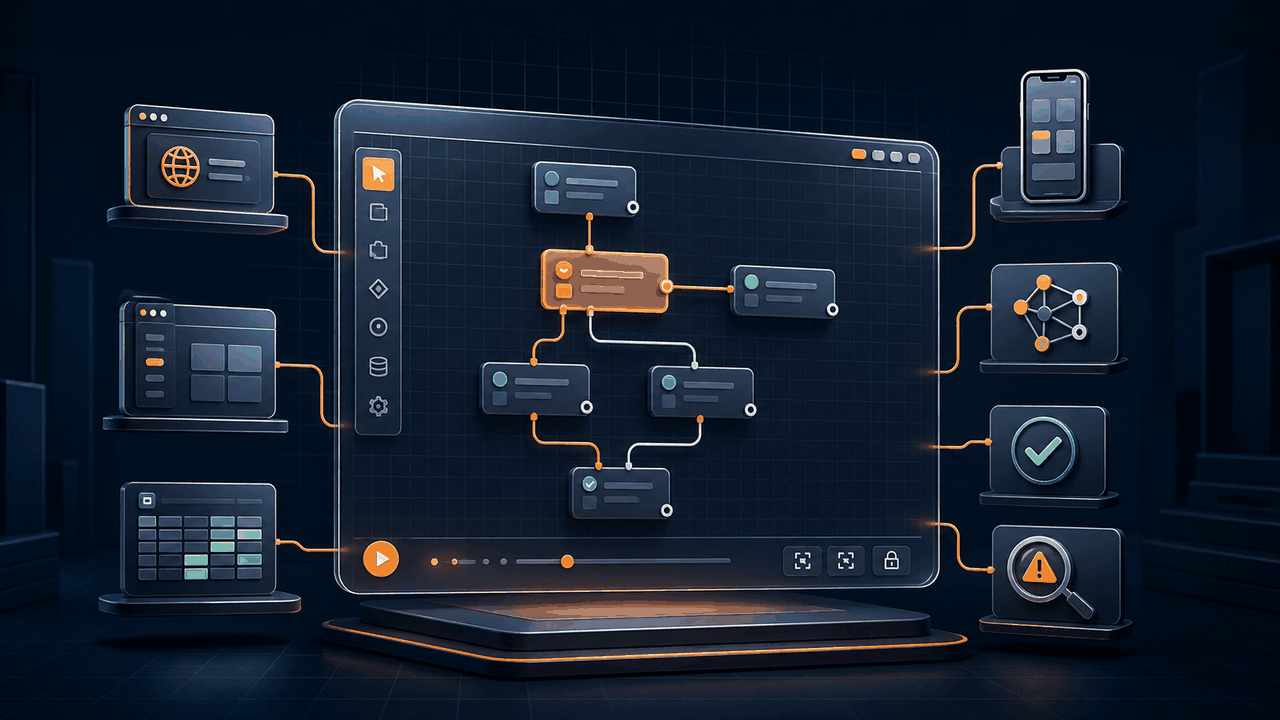
An AI workflow builder can mean several very different products. One generates code in a chat window. Another asks an agent to operate a computer from fresh instructions every time. A third converts the request into visible commands that a person can inspect, edit, test, and run repeatedly. All may produce a convincing demonstration, but their long-term cost, reliability, and maintainability are not equivalent.
The right buying question is not "Can it automate this task once?" It is "What artifact remains after AI has helped, and can I control that artifact when the application, data, or business rule changes?" This guide provides a practical evaluation framework for individual professionals and small teams choosing AI-assisted automation software.
If you want to see how Runavelo implements these ideas, visit the AI visual workflow builder solution. For the architectural distinction between an agent and a repeatable workflow, read AI Agents vs. Deterministic Workflows.
Key takeaways
- Evaluate the generated artifact, not only the quality of the chat experience.
- Require every consequential action, input, output, condition, and retry to remain inspectable.
- Separate AI-assisted creation from deterministic production execution.
- Test whether the assistant can read the actual workflow, parameters, logs, and error stack when diagnosing failures.
- Confirm that model choice, API URL, credentials, and data boundaries fit your requirements.
- Measure application coverage against your real workflow, including browser, desktop, spreadsheet, file, API, and mobile steps.
1. What does the AI actually produce?
Ask the vendor to show the result after generation. If the result is a code block, who will maintain it? If it is an opaque agent plan, can you pin down the exact sequence that will run tomorrow? If it is a visual workflow, are the nodes real executable commands or only a high-level diagram placed above hidden code?
A useful visual artifact should expose:
- the command name and purpose;
- every input parameter and its source;
- output variables and their types;
- conditions, loops, branches, and exception paths;
- the relationship between parent and child steps;
- timeout, retry, and failure behavior;
- human-readable descriptions that do not replace the executable details.
Editability must go beyond deleting and rearranging boxes. A user should be able to change a browser type, selector, URL, variable, workbook path, loop limit, or fallback branch without asking AI to regenerate the entire flow. The tool should validate the edited value and make the resulting execution understandable.
This matters because business automation changes incrementally. A field is renamed, a new column is required, or a process must stop after five pages instead of ten. Rebuilding from scratch increases regression risk and erases working knowledge.
2. Does repeated execution require repeated AI inference?
Generative models are probabilistic. That is useful while interpreting an ambiguous goal, proposing a solution, or investigating an unfamiliar failure. It is usually unnecessary for a routine step that has already been approved, such as opening a known workbook, reading a named column, or clicking a validated page element.
Look for a clear boundary:
- AI interprets the goal and proposes an editable workflow.
- A person reviews or adjusts the proposal.
- The workflow engine executes the saved commands.
- AI is invoked again only when generation, explanation, or diagnosis is needed.
This design avoids paying model tokens for every repetition and reduces behavioral drift between runs. It also makes testing meaningful: the commands tested today are the commands scheduled tomorrow.
A product that uses an agent at every step may be appropriate for open-ended research or interfaces that cannot be modeled in advance. It is a weaker fit for high-volume, stable tasks where repeatability, latency, and traceability matter more than improvisation. A serious builder should support both explicit deterministic operations and carefully bounded AI decisions rather than forcing every task into one execution style.
3. Can a person understand and change the flow?
No-code does not automatically mean understandable. A large canvas of unnamed nodes can be harder to maintain than concise code. Evaluate how the builder communicates intent.
Good workflow readability includes meaningful step titles, natural-language summaries, visible variable names, indentation for nested control flow, and consistent parameter labels. The product should help answer three questions quickly: What does this step do? What data does it consume and produce? What happens next if it succeeds or fails?
Test a realistic modification during evaluation. Ask the product to generate a web-to-Excel workflow, then manually add a required field, change the pagination limit, and route rejected rows to a separate sheet. If that small change requires regeneration, hidden scripting, or vendor support, the workflow is not genuinely user-controlled.
Also test round trips. Can the assistant read the edited workflow accurately after a human changes it? Can it explain the current state rather than its earlier generated version? The AI context should come from the saved artifact, not from a stale conversation memory.
4. How does debugging work?
"Ask AI why it failed" is valuable only if AI can access the evidence needed to answer. A useful debugging assistant should receive the complete relevant workflow, command parameters, runtime logs, failed line, exception type, stack information, and safe environmental context. It should distinguish facts from hypotheses and identify the smallest repair.
When evaluating a product, deliberately cause three failures:
- use a URL without a required protocol;
- change a selector so an element cannot be found;
- lock the destination workbook before saving.
Then inspect the diagnosis. Does the assistant identify the failed command and explain why? Does it propose changing one selector or recreating the entire workflow? Can it apply a repair only after approval? Can you compare the before and after values?
Logs are part of the product, not an afterthought. OWASP's Logging Cheat Sheet recommends consistent event data and careful treatment of sensitive information. In automation, logs should include run identity, workflow and line, timestamp, severity, result, retry count, and a useful error message, while excluding credentials and confidential payloads.
The NIST AI Risk Management Framework organizes risk work around Govern, Map, Measure, and Manage. A workflow product does not become compliant merely by citing a framework, but the principles are useful during selection: document the intended purpose, test before deployment, measure failures, retain human oversight, and establish a response path when the system behaves unexpectedly.
5. What applications can one workflow cover?
Many products automate only SaaS APIs, only browser pages, or only the visible Windows desktop. Real personal workflows often cross boundaries. An order-research task may open a browser, collect results, clean a list, write Excel, move a file, call an API, and notify a user. Requiring a different automation model for every boundary increases integration work.
List the systems in your actual process and map them to supported command families:
| Area | Questions to ask |
|---|---|
| Browser | Can it locate DOM elements, use isolated sessions, wait for page state, and interact without moving the physical mouse? |
| Desktop | Can it work with native applications, windows, files, dialogs, and local programs? |
| Spreadsheet | Can it create, read, write, filter, and validate workbooks without flattening everything into text? |
| Data and code | Can it transform lists, dictionaries, JSON, dates, and tables, and use Python when an explicit step is appropriate? |
| API | Can it make authenticated requests, parse responses, and keep secrets out of logs? |
| Mobile | Can mobile actions participate in the same flow and control structures? |
Coverage should use a coherent variable and control-flow model. A browser result should be usable in a spreadsheet command without manual export and re-import. Conditions and loops should behave consistently across application types.
For browser work, understand the execution mechanism. The Chrome DevTools Protocol exposes structured domains for browser instrumentation, and its Input domain defines keyboard, mouse, text, and drag events. CDP-based actions can target a browser tab without moving the user's physical pointer, which is valuable when a person must continue using the computer or when multiple isolated browser sessions run in parallel.
6. Can it run more than one browser session safely?
Parallelism is not simply opening several tabs. Sessions may need independent cookies, local storage, proxy settings, user agents, or authenticated accounts. Ask whether the product creates isolated browser profiles and targets commands to a specific browser object.
Test the failure behavior. If one session times out, do the others continue? Are logs tagged with the correct session and workflow? Can concurrency be limited to protect CPU, memory, network capacity, and the target service? Can the same workflow run against a list of accounts without accidentally sharing state?
Do not assume more concurrency always means more throughput. Websites may rate-limit requests, local resources may saturate, and Excel writes may need serialization. A controllable product should let the user choose concurrency and implement bounded queues. See Parallel Browser Automation for a detailed architecture and test plan.
7. Can you choose and configure the model?
Model choice affects capability, cost, latency, data handling, tool-call behavior, and regional availability. A durable automation product should not hard-code one model name or assume every provider implements the same protocol identically.
Evaluate whether you can:
- select a provider preset without losing access to advanced settings;
- choose among OpenAI-compatible chat, OpenAI Responses, Anthropic, and Gemini protocols where appropriate;
- enter a custom base URL and model name;
- configure reasoning effort and maximum output tokens when the provider supports them;
- preserve reasoning or tool-call continuity according to the selected API;
- store the API key locally and avoid exposing it in logs;
- create multiple named configurations and switch among them.
"OpenAI compatible" is not a complete compatibility guarantee. Providers may add parameters, reject unknown ones, use different model-list endpoints, or represent reasoning content differently. The client should adapt requests at a small provider boundary rather than scatter provider-specific conditions across the UI and workflow logic.
For a deeper evaluation, read Bring Your Own Model for Automation and the BYOM solution overview.
8. Where does data go?
Local execution is not the same as zero network activity. A locally running workflow may still send prompts to a selected model provider, access websites, call APIs, or upload files because the user designed it to do so. A trustworthy product should make these boundaries explicit.
Ask where workflows, logs, credentials, screenshots, captured elements, and generated files are stored. Determine which data is sent to the AI provider during generation and debugging. Verify whether API keys are encrypted locally, whether telemetry is optional, and whether a user can delete local and cloud data.
The NIST Privacy Framework offers a risk-based way to think about data processing: identify the data and purpose, govern access, control processing, communicate practices, and protect the information. Apply that thinking to the exact workflow. Minimize the data provided to AI, redact secrets and unrelated records, and avoid sending an entire dataset when a schema and a few safe samples are sufficient.
9. What will maintenance cost?
Initial build speed is only one part of total cost. Include model usage during authoring, execution infrastructure, subscription price, failed-run review, selector repairs, onboarding time, and the cost of being unable to change a vendor-generated artifact.
Run a pilot for several weeks and record:
- successful runs divided by total runs;
- human minutes required per run;
- mean time to diagnose and repair a failure;
- model tokens and cost used for creation and maintenance;
- duplicate or incorrect outputs;
- time required to make a routine business-rule change.
NIST's work on software performance measurement cautions that plausible measurements can still be wrong when samples, instruments, or assumptions are weak. Use real task samples, include failed runs, and compare the same outcome before and after automation. Do not calculate ROI from the fastest demonstration.
10. A practical proof-of-concept scorecard
Score each category from 0 to 3: unsupported, possible with major custom work, supported with limitations, or strong native support.
| Category | Weight | Evidence to request |
|---|---|---|
| Editable generated artifact | 15% | Modify a generated flow manually |
| Deterministic repeated execution | 15% | Rerun without a model call |
| Debugging context and repair | 15% | Diagnose a deliberately broken step |
| Required application coverage | 15% | Complete one end-to-end business task |
| Browser selector resilience | 10% | Survive pagination and delayed content |
| Data and credential boundaries | 10% | Architecture and storage inspection |
| Model/provider flexibility | 10% | Use a custom URL and model |
| Logs, testing, and recovery | 5% | Review run evidence and retry behavior |
| Exportability and ownership | 5% | Inspect saved workflow and local outputs |
Weights should change with the use case. A regulated process may place more weight on data boundaries and auditability. A research workflow may prioritize browser coverage and model flexibility. The scorecard exists to force evidence-based comparison, not to create a universal winner.
Questions to ask before purchasing
Before committing, ask the vendor or test the product yourself:
- What exact artifact is generated, and can every parameter be edited?
- Does an approved workflow run again without consuming AI tokens?
- Can AI read the current workflow, logs, and error stack when debugging?
- Can one flow cross browser, desktop, spreadsheet, file, API, and mobile steps?
- Can browser actions run without taking over the physical mouse?
- Can multiple browser sessions remain isolated?
- Can I enter my own model URL, model name, and API key?
- Where are workflows, credentials, logs, and prompts stored?
- What happens when a selector, workbook, or network request fails?
- Can I make a small change without regenerating everything?
An effective AI workflow builder should reduce the distance between an idea and a working automation without taking ownership away from the user. The most convincing evidence is not a polished prompt response. It is a visible workflow that survives review, testing, repeated execution, and change.
Explore Runavelo to build an editable automation, or use the automation ROI guide to evaluate a pilot with measurable costs and outcomes.
Turn a goal into an editable workflow.
Use AI to build, inspect, revise, and troubleshoot automation, then run the approved steps repeatedly.