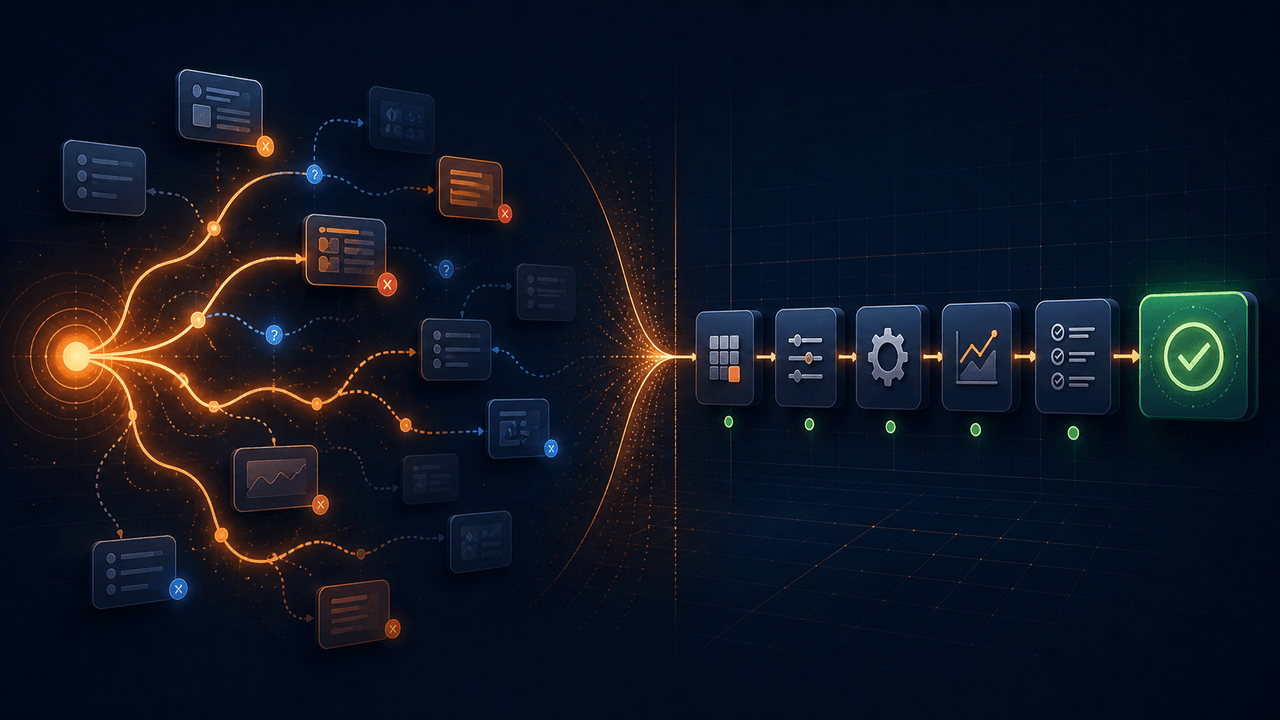
AI computer-use agents and deterministic workflow automation can both click buttons, enter data, read pages, and move information between systems. They differ in a more important way: when the decision about the next action is made.
A computer-use agent often observes the current interface, sends that state to a model, receives a proposed action, executes it, and repeats the loop. A deterministic workflow decides most of its behavior during design. Its saved commands, conditions, variables, and error paths then control repeated runs.
Neither architecture is universally better. An agent is valuable when the route is genuinely uncertain. A deterministic workflow is usually easier to review, price, test, and maintain when the same business procedure must run repeatedly. For many practical automations, the strongest design is hybrid: use AI to create and repair an explicit workflow, then use the workflow engine for routine execution.
For a product-level view of that hybrid approach, see Runavelo's AI visual workflow builder. The companion guide on building once and running repeatedly explains the token and operational implications in more detail.
The architectural difference
OpenAI describes computer use as a model inspecting screenshots and returning interface actions for a client to execute. Its official guidance recommends an isolated browser or virtual machine, human involvement for high-impact actions, and treating page content as untrusted input. Google's Gemini Computer Use documentation describes a comparable continuous loop: the client sends the task and environment state, the model proposes an action, the client executes it, and a new state is returned. Anthropic exposes screenshot, click, typing, scrolling, dragging, and related computer actions through its computer-use tool.
Those are agentic control loops. The model remains in the operating path because it helps decide what to do next.
A deterministic workflow moves that decision earlier. During design, a person or AI assistant turns the goal into explicit steps such as:
- Attach to the current browser page.
- Find all product cards using a captured element definition.
- Loop through each card and read the name and price.
- Append valid records to a list.
- If a Next control exists, navigate and repeat.
- Otherwise, write the accumulated rows to a spreadsheet.
The runtime still observes conditions, but it responds according to declared rules. It does not need a model to reinterpret the overall goal after every card or page.
Where AI agents are the right tool
Agentic computer use is compelling when the interface or route cannot be predicted sufficiently in advance. Examples include exploratory research across unfamiliar sites, one-off administrative tasks, or an exception that requires interpreting novel visual evidence.
Agents can also reduce the cost of prototyping. A person can state the desired outcome without first learning every automation command. The model may discover that the task needs a browser action, a spreadsheet operation, and a validation step. This is useful reasoning work.
The advantage becomes less clear when an agent repeats a stable operation hundreds of times. Every additional observation-and-action turn can add model latency, token usage, and another probabilistic decision. The exact cost depends on the provider, model, context, caching, screenshots, and implementation, so there is no honest universal savings percentage. The engineering conclusion is narrower: if an action is already fully specified, asking a model to choose it again is optional overhead.
Where deterministic workflows are stronger
Repeated, stable procedures
If a workflow runs every hour, every night, or for every row in a file, saved logic is an operational asset. A reviewer can see the loop boundary, selector, timeout, branch, output path, and recovery behavior. The same approved sequence can run without replaying the design conversation.
This is why deterministic execution can reduce token use. Ordinary browser, spreadsheet, file, desktop, and control-flow commands do not inherently require a model call. Tokens are consumed only when the user invokes the AI assistant or deliberately places a model-powered command in the workflow.
Precise change control
Generated code can be editable, but it may force non-programmers to understand implementation details before changing a single field. A visual workflow exposes the business structure directly. A user can change a timeout from 10 to 30 seconds, switch an output workbook, update one captured element, or add a condition without regenerating unrelated logic.
That precision matters after the first successful demo. Production automation is mostly maintenance: websites change, input quality varies, credentials expire, and downstream systems slow down. A durable representation lets the operator repair the smallest responsible unit.
Auditability and failure evidence
An action log tied to a workflow line can answer: which command ran, with which parameter, against which workflow version, and what error occurred? That evidence is more actionable than a transcript containing many tentative model decisions.
Runavelo's AI troubleshooting uses both forms of context. It can read the workflow structure and parameters as well as runtime logs and an error stack. The goal is not merely to summarize an error message. It is to connect the failure to the step that produced it and propose a targeted change that remains visible to the user.
Deterministic does not mean rigid
A deterministic workflow may still respond to data and environment state. It can contain:
- inputs and reusable variables;
- conditions and multiple branches;
- loops over records, pages, files, or browser sessions;
- retries, timeouts, and fallback paths;
- subworkflows and error handlers;
- explicit model-powered steps for semantic work.
The distinction is not “dynamic versus static.” It is “declared control logic versus repeated open-ended inference.” A workflow can branch on whether a Next button exists without asking a model what pagination means on every run.
A practical hybrid lifecycle
The useful pattern is describe, generate, inspect, run, observe, and repair.
1. Describe the outcome and constraints
State the target systems, permitted data, required output, stopping rule, and failure policy. “Collect product names and prices” is not enough. Specify whether duplicates are allowed, how many pages are in scope, what counts as a missing value, and where the workbook should be saved.
2. Let AI draft visible workflow logic
AI can compose supported commands into a visual flow. In Runavelo, the generated result is not a hidden series of temporary actions. It becomes commands, parameters, variables, loops, and conditions that a person can inspect.
3. Review high-impact boundaries
OpenAI's computer-use guidance advises keeping a person in the loop for high-impact actions. The same principle applies to deterministic workflows. Review steps that send messages, submit purchases, delete data, change permissions, or publish externally. Use allowlists, confirmation points, and narrow credentials where appropriate.
NIST's AI Risk Management Framework organizes risk work around governance, mapping, measurement, and management. Applied here, that means defining intended use, identifying failure consequences, testing against representative cases, and deciding who owns exceptions. A visual workflow helps, but visibility does not replace governance.
4. Test both the happy path and the stopping path
A workflow that completes one page has not proved its pagination logic. Test the second page, final page, empty result, missing optional field, duplicate record, slow load, authentication expiry, and inaccessible target. Verify the generated output, not just the absence of an exception.
5. Run the approved workflow directly
Once approved, ordinary commands execute through the runtime. The model is no longer required to decide every interaction. This is the stage where repeatability, lower per-run inference demand, and line-level logging become valuable.
6. Bring AI back when reasoning is useful
When the workflow fails, the assistant can inspect current structure and execution evidence. A selector may contain a page-specific attribute. A file path may be invalid. A subworkflow may receive a value of the wrong type. AI can explain the relationship and suggest a repair; the resulting change returns to the visible workflow for review.
When to keep an AI step inside the workflow
Some operations require semantic judgment at run time. Appropriate examples include classifying free-form support messages, summarizing documents with variable structure, extracting concepts from natural language, or drafting text from supplied facts.
Keep such steps bounded:
- send only the context needed for the decision;
- request a defined output schema or constrained enumeration;
- reject invalid outputs;
- log the model and configuration used;
- define timeout, retry, and fallback behavior;
- require confirmation before consequential downstream actions.
This preserves the benefit of AI without turning every mechanical step into an inference request.
Safety changes with the architecture, but it does not disappear
Agentic computer use introduces risks from untrusted page content and prompt injection. Official provider guidance emphasizes isolation and human review. Deterministic workflows reduce open-ended interpretation during routine runs, but they can still be misconfigured, operate with excessive permissions, or act on incorrect inputs.
Use least-privilege accounts, separate browser sessions, explicit allowed domains, conservative concurrency, and reversible test data. Protect API keys and passwords as secrets rather than embedding them in shared workflow files. For destructive operations, add a validation stage and an approval boundary.
Local execution also needs precise wording. In Runavelo, local browser and desktop commands execute on the Windows machine. Data leaves the machine when the workflow intentionally calls an external API or cloud service, uses a cloud OCR or CAPTCHA capability, publishes an application, or sends selected context to the configured AI provider. “Local runtime” is not the same as “nothing can ever leave the device.”
Decision checklist
Choose an agent-driven loop when:
- the route is genuinely unknown;
- the task is one-off or exploratory;
- visual interpretation is required at several points;
- a person can supervise consequential actions;
- added latency and model use are acceptable.
Choose a deterministic workflow when:
- the procedure repeats;
- operators need to inspect and edit exact steps;
- output consistency and line-level logs matter;
- per-run model calls add no useful reasoning;
- the task must be scheduled or scaled across many records.
Choose a hybrid when AI can accelerate design and repair, while the approved procedure itself is stable. That is the common case for browser data extraction, spreadsheet processing, cross-application data entry, scheduled reports, and other long-lived business routines.
How Runavelo applies the hybrid model
Runavelo lets users describe a goal, generate a visual workflow, edit its commands, and run the approved logic repeatedly. The same workflow model can combine browser, desktop application, spreadsheet, file, API, Python, JavaScript, and connected Android operations available in the installed edition. Supported editions can also operate multiple isolated browser sessions on one computer.
The assistant supports several provider families and configurable endpoints, so model choice is not locked to one vendor. Provider protocols and capabilities differ, and not every model supports every tool behavior; configuration remains explicit. The open-source desktop repository includes a defined subset of web CDP automation, spreadsheet operations, basic sequence/condition/loop control, and AI workflow building, repair, and teaching under GPL-3.0. The complete product adds broader desktop, mobile, and cloud capabilities.
The point is not to replace all agents with fixed scripts. It is to put reasoning where it creates value and make repeated operations inspectable.
References
Turn a goal into an editable workflow.
Use AI to build, inspect, revise, and troubleshoot automation, then run the approved steps repeatedly.