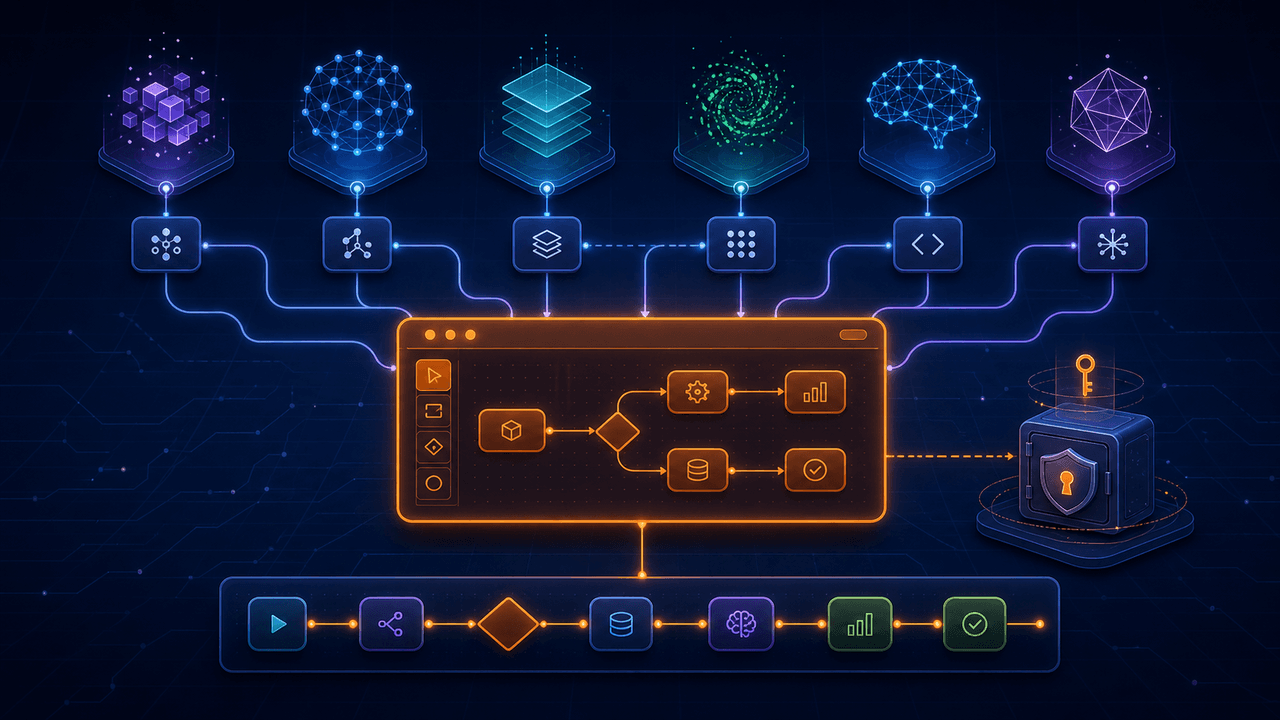
“Bring your own model” sounds like a configuration feature: paste an API key, choose a model name, and continue. For a normal chat box, that may be close. For an AI workflow builder that reads documentation, proposes structured workflow changes, invokes tools, streams progress, handles cancellation, and diagnoses errors, the integration boundary is much deeper.
OpenAI, Anthropic, and Google all support tool or function calling, but their request formats, response events, tool-result messages, reasoning controls, model identifiers, and endpoint conventions differ. OpenAI-compatible providers add another complication: compatibility often covers the main request shape, not every optional parameter or streaming event.
A useful multi-model architecture therefore does two things at once. It gives the application one stable internal conversation and tool interface, while preserving provider-specific capabilities when they matter. This guide explains what to evaluate and how Runavelo approaches model choice without pretending every model is interchangeable.
See the Bring Your Own Model solution for Runavelo's supported configuration model. If your main concern is recurring model cost, the guide to building once and running repeatedly explains why routine workflow execution does not need to repeat the design conversation.
Start with protocols, not brand names
A provider preset is a convenience, not the architecture. The important questions are:
- Which API protocol does the endpoint implement?
- How are system instructions represented?
- How are tools declared and selected?
- How are tool calls and tool results encoded?
- What does streaming emit?
- How are reasoning effort and token limits configured?
- Can an in-progress response be cancelled?
- Which message content types are supported?
- How does the provider report usage and errors?
Runavelo exposes both provider presets and protocol selection. Presets can fill sensible defaults, while the user remains able to edit endpoint, model, and supported options. This is more honest than assuming a provider name completely determines behavior.
Tool calling is similar in purpose, different in mechanics
OpenAI describes function calling as a way for models to interface with external systems using tools defined by the application. Function tools use JSON Schema, and the application executes the requested action. Anthropic similarly distinguishes tools the application defines and executes from server-side tools; its Claude tool calls and results use its own message content blocks. Gemini function calling also uses declared functions and supports chaining multiple calls for a request.
The common conceptual loop is:
- The application supplies instructions, context, and available tool definitions.
- The model either returns text or requests a tool call.
- The application validates and executes the requested tool.
- The application returns the result in the provider's expected format.
- The model continues until it produces a final response or reaches a limit.
The shared concept makes an adapter possible. The format differences make a thin baseUrl + apiKey + model wrapper insufficient.
Define one internal event model
The application should translate provider responses into a small set of internal events, for example:
- text delta;
- reasoning or status delta when the provider exposes it;
- tool-call start, argument delta, and completion;
- tool result;
- usage;
- provider warning;
- recoverable or terminal error;
- response completed or cancelled.
The user interface then renders a conversation without knowing whether the underlying provider emitted an OpenAI response event, an Anthropic content block, or a Gemini candidate part. Provider adapters remain responsible for reconstructing partial JSON, preserving tool-call identifiers, and identifying finish conditions.
Keep this event model small. Trying to abstract every possible provider feature creates an internal API more complex than the integrations. Preserve raw provider metadata for diagnostics, but expose only what the product actually needs.
Normalize workflow tools at the application boundary
In a workflow builder, the model should not directly mutate arbitrary application state. Give it a defined set of tools such as reading the current workflow description, retrieving command documentation, validating a proposed JSON flow, replacing a selected workflow, or inspecting recent runtime logs.
Each tool needs:
- a stable name and description;
- a precise input schema;
- validation before execution;
- a bounded output;
- permission checks;
- cancellation support where practical;
- a clear error result the model can reason about.
Provider-specific schemas are generated from this internal definition. If one provider supports strict schema conformance, use it, but keep application-side validation. Anthropic documents strict: true for enforcing tool-call schema conformance. OpenAI and Gemini also use schema-based function descriptions. No provider option removes the application's responsibility to reject unsafe or malformed arguments.
Preserve real provider differences
Avoid a lowest-common-denominator interface that discards useful capabilities. A provider adapter may need optional controls for:
- reasoning effort or thinking budget;
- maximum output tokens;
- parallel tool calls;
- prompt caching;
- provider-specific safety settings;
- model discovery;
- custom headers or parameters;
- API version headers;
- compatibility quirks in streamed tool arguments.
The configuration UI should show a safe common set and reveal supported advanced options. Do not send every parameter to every provider. Unsupported parameters may be ignored, rejected, or behave differently.
Likewise, “OpenAI-compatible” should be treated as a protocol family rather than a guarantee. A custom endpoint may implement Chat Completions but not the newer Responses API. It may return tool calls but not stream their arguments in the same way. It may use a different path for listing models. Let users choose the actual protocol and manually enter a model name when discovery is unavailable.
Model selection should follow the task
The most capable or expensive model is not automatically the best default. Evaluate providers and models against the workflow-building workload:
- ability to follow a large command specification;
- structured-output and tool-call reliability;
- context capacity for workflow, documentation, and logs;
- latency during iterative editing;
- quality of error analysis;
- support for long tool loops;
- cost and rate limits;
- geographic and organizational availability;
- provider data controls appropriate to the user's material.
Run representative evaluations. A useful test set includes generating a small valid flow, modifying one field without disturbing other steps, building nested loops, handling missing required inputs, repairing an invalid enumeration, reading a long error stack, and stopping a streaming response from the UI.
Record whether the output passes the same workflow validator. Human preference for a fluent explanation is not enough if the generated JSON cannot be imported.
Separate AI design from repeated execution
Model choice matters when the assistant is creating, explaining, revising, or diagnosing a workflow. It does not need to determine every ordinary command during every run.
In Runavelo, an approved visual workflow contains explicit commands and control logic. Browser, spreadsheet, file, desktop, and basic control-flow steps execute through the runtime. Repeating those ordinary steps does not require repeated model inference. Tokens are used when the assistant is invoked or when the workflow intentionally includes a model-powered command.
This separation makes BYOM more useful. A user may choose a high-reasoning model to design a difficult workflow, then run that workflow many times without tying operational execution to that model's availability or per-token cost. The user can return to the same or another configured model when a website changes or a failure needs analysis.
Changing the model does not guarantee identical edits. The durable artifact is the validated visual workflow, not an assumption that providers will produce interchangeable prose or tool sequences.
Context is a product decision
An automation assistant can be more helpful when it sees command documentation, current workflow structure, selected command parameters, logs, and error stacks. More context is not always better. It increases input size and may expose data irrelevant to the question.
Build context deliberately:
- include only commands relevant to the current task when possible;
- summarize or window long logs while retaining the failing region;
- remove secrets and unnecessary personal data;
- tell the user which provider will receive the context;
- keep local workflow execution separate from provider requests;
- allow a new conversation to drop accumulated history.
For troubleshooting, include evidence before speculation. The failing line, parameter values, error stack, recent log entries, and neighboring workflow steps are usually more valuable than the entire lifetime transcript.
Treat API keys as secrets
OWASP's Secrets Management guidance warns against hardcoded plaintext secrets and recommends controlled storage, provisioning, auditing, rotation, and lifecycle management. A desktop BYOM product should not upload the user's provider key to its own backend merely for convenience.
Runavelo's model configuration stores the API key encrypted on the local device. The key is used to call the provider endpoint selected by the user. This reduces an unnecessary intermediary, but local storage is not magical protection. The Windows account, machine security, backups, malware exposure, and provider account controls still matter.
Users should create a dedicated key when the provider supports it, restrict permissions and spend, rotate a suspected key, and never place a key inside a workflow description or support screenshot. The UI should mask secrets, exclude them from logs, and avoid copying them into crash reports.
Make the data boundary explicit
“Local automation” and “cloud AI” can coexist, but the boundary must be stated precisely. Runavelo's local browser and desktop commands execute on the user's Windows computer. When the user asks the configured model to generate or troubleshoot a workflow, selected context is sent to that provider. A workflow can also deliberately call an external API, OCR or CAPTCHA service, publishing service, or other cloud capability.
Users should review the selected provider's terms, retention settings, account configuration, and regional availability. Different providers and account tiers may offer different controls. Runavelo cannot turn a third-party API call into an offline operation.
For sensitive workflows, use synthetic test data during design, minimize the context sent, redact logs, and keep consequential actions behind validation or approval.
Cancellation and conversation reset are core features
Multi-model support is incomplete if the user cannot stop a response. Cancellation must abort the network request, stop accepting streamed deltas, prevent late tool calls from changing the new conversation, and leave the UI in a consistent state.
Starting a new chat should create a new conversation identity. Events from an older request must be ignored even if its provider connection finishes late. Tool execution should verify that the originating conversation is still active before applying a workflow mutation.
These safeguards are especially important when providers buffer, retry, or stream differently. They belong in the common orchestration layer, not in a button that merely clears visible messages.
Evaluation checklist for a BYOM automation platform
Before depending on a provider/model configuration, verify:
- the endpoint and selected protocol match;
- model listing works or manual model entry is available;
- a normal answer streams correctly;
- tool arguments remain valid across streamed chunks;
- multiple sequential tool calls work;
- invalid tool arguments are rejected safely;
- maximum-output and reasoning controls are sent only when supported;
- authentication and rate-limit errors are understandable;
- stop cancels the active response and prevents late mutations;
- new chat isolates the next conversation;
- workflow JSON validates before import;
- the generated workflow can produce syntactically valid runtime code;
- secrets do not appear in logs or exported workflow files.
Run the checklist for each protocol, not merely each preset. Two providers using an OpenAI-compatible interface may still differ at the edges that matter to a tool-heavy application.
Runavelo's model approach
Runavelo provides presets for OpenAI, Anthropic, Google Gemini, DeepSeek, Kimi, GLM, Qwen, MiniMax, and configurable custom endpoints. Depending on the provider, users can select an OpenAI-compatible Chat Completions interface, OpenAI Responses, Anthropic, or Gemini protocol and enter a specific model name.
This is broad model choice, not a claim that literally every model or endpoint works. The model must support the context and tool behavior required by the assistant, and custom compatible services may implement only part of a protocol.
The practical advantage is avoiding unnecessary lock-in at the workflow artifact layer. AI helps produce a validated, editable flow. That flow remains understandable and repeatable even when the user later changes the configured assistant model.
References
Turn a goal into an editable workflow.
Use AI to build, inspect, revise, and troubleshoot automation, then run the approved steps repeatedly.